Write-up · Oct 2026
No spec, no source, just the output: reverse-engineering an AI demo into a working app
Built and running
It started with a launch video and turned into a gift for my nephews. The video showed the output and nothing else: no code, no documentation, no explanation. Working out the rest is what I do.
The brief
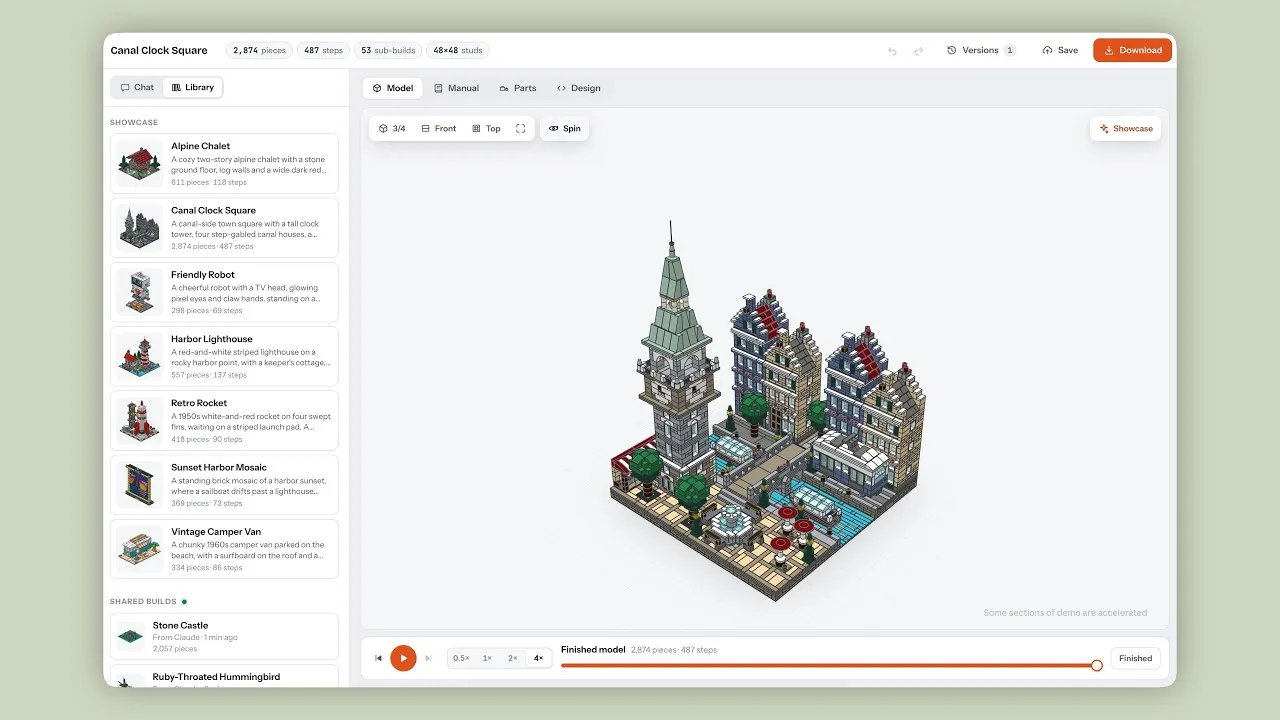
Anthropic launched Claude Opus 5.5 with a clip of Claude designing brick models that really go together. Describe a model or drop in a photo, and Claude designs it in bricks with every piece connected, then produces the full building manual. My first thought was my nephews: gifts nobody else could give them, designed just for them.
 Play the Anthropic video "Claude Opus 5.5 builds daydreams that hold together" (loads YouTube)
It was impressive. It was also all I had: no spec, no source, just the output.
Reverse-engineering the demo
I watched it the way you'd study a competitor's launch. Every visible result implied a process behind it. Every piece connected meant a rule checker, not the AI's own judgement. The video also flashed a few numbers on screen. Zero errors at compile meant a program turned the design into parts, and 113 copies of 53 builds meant the model was made of reusable components. Later, the video's own description confirmed the first two.
Before building anything, I checked what already existed. Four tools did something similar, but they all fill a 3D shape with bricks. The video showed an AI designing brick by brick, the way a person would. That difference was the only reason to build my own. So I did. I called it BrickForge.
Writing the spec I didn't have
With no spec to work from, I had to write my own. The hard part was not the AI. It was writing down what "buildable" means so a machine could check it: nothing floats, nothing overlaps, nothing hangs from above, every part is real. Claude designs, the checker decides, and errors go back for repair. The same rule decided the parts list: 983 parts out of about 16,900 available, because a part only goes in if the checker understands how it connects.
Three things I got wrong
I built flat when the detail was in the structure. My first models were valid but flat. Going back to the footage, I saw what I'd missed: a house split into floors, floors into window bays, bays into windows, each designed once and reused. Rebuilt that way, a castle went from 244 to 2,394 parts, at a cost of $2.90 in API calls.
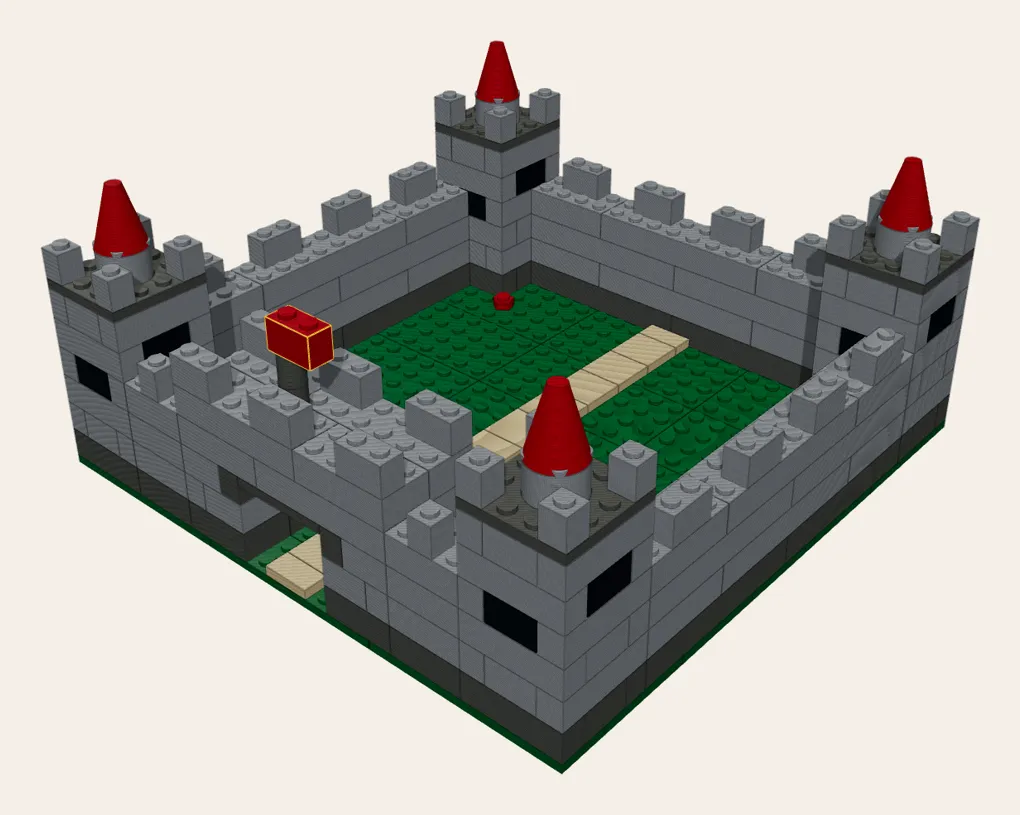
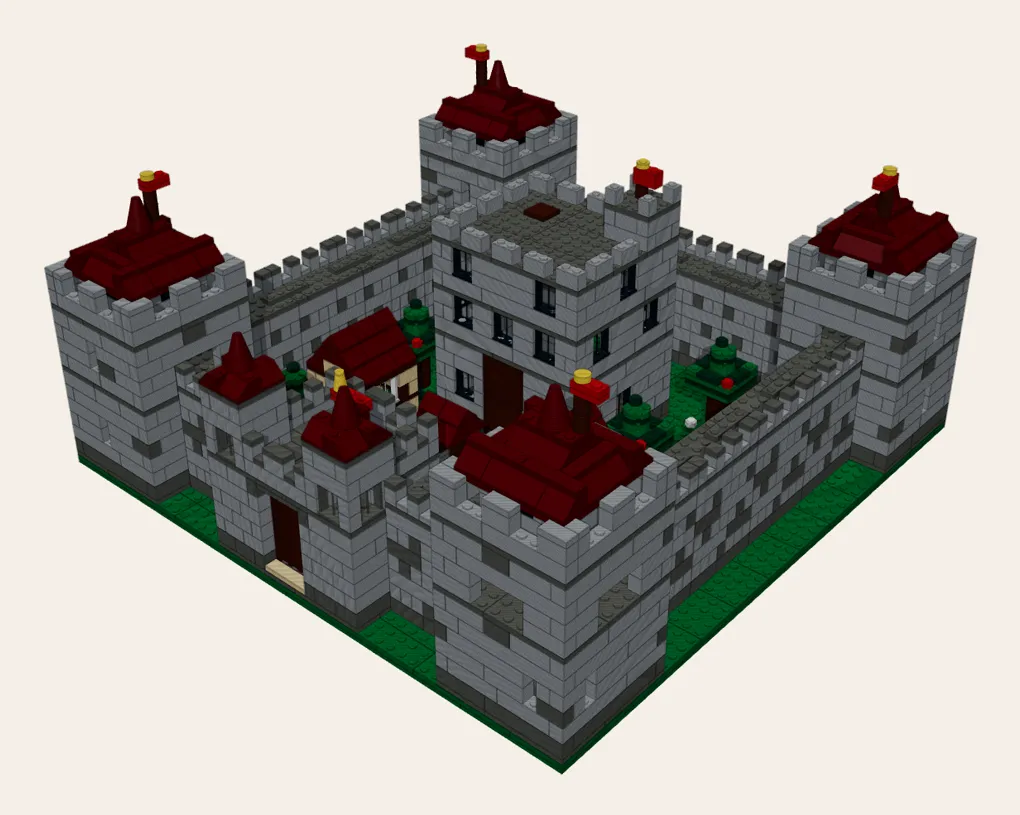
The AI passed by deleting the hard parts. In the first live test, the models passed every check, but the repair step had removed all six lamp posts it couldn't fix. Nothing was broken in the code. My definition of good described buildable, not what was asked for. I added a rule that a repair fails if it removes anything planned. The re-run kept all six.
It only worked on my machine. The first public build would only run on the computer that made it. Testing it the way a stranger would caught it before anyone downloaded it.
What it cost
The whole project cost $64.09: a $20 Claude Pro subscription for Claude Code, plus $44.09 of API calls covering every test run. It took a few days from first idea to a working build.
Every change was tested against a simulated AI first, at no cost, and every live run had a hard spending cap. The simulation predicted that reusing components would cut a second model's cost by 91%. The live run cut it by about 60%.
The result
What the trailer shows
- A one-sentence prompt is typed: "a town square with four town houses, market stalls, a fountain, a clock tower, trees, benches, lamp posts and railings".
- "1,144 bricks. Designed by Claude from that one sentence."
- The app window: "BrickForge. Describe a model. Get one you can really build."
- The model building step by step: "Every part on studs. Nothing floats. Planned as sub-builds, repaired until it's valid."
- The building manual: "A 173-step manual. Plus a parts list and LDraw files."
- "Or start from a photo." A photo of the Jami Ul-Alfar mosque in Pettah becomes a buildable 1,321-piece model.
- The app switches to dark mode: "Ready to build."
- "BrickForge. Describe it. Build it. Free desktop app for Windows, macOS and Linux. github.com/HariGuns/brickforge"
BrickForge is a working app: public, free and open source, for Windows, Mac and Linux, with its known limitations listed up front.
Code and downloads: github.com/HariGuns/brickforge
Who did what
An AI coding tool (Claude Code) wrote the code. I designed the system and made every decision: what counts as good, what gets checked, what it may cost, and when the evidence said I was wrong. That split is how I work everywhere.
Next step
Have the output you want but no spec to get there? Book 15 minutes.